If you’ve ever relied on a wireless bridge to connect two buildings across a parking lot, link a remote farm to your main office network, or extend coverage to a hard-to-reach warehouse, you know how frustrating it is when that connection drops out unexpectedly. As someone who’s spent the last decade designing, testing, and supporting wireless bridge solutions for businesses of all sizes, I get asked this question all the time: “What makes a wireless bridge connection stable, and how can I make sure mine doesn’t fail when I need it most?” The answer isn’t just about picking a top-of-the-line hardware model—it’s understanding the science behind stability, and how to align that science with your specific site needs. Wireless Bridge
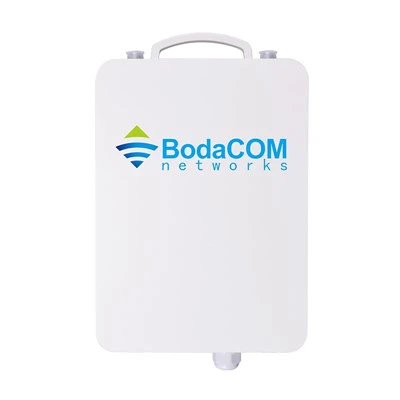
First, let’s cut through the jargon to get a clear definition: a wireless bridge is a point-to-point (or point-to-multipoint) radio link that connects two separate local area networks (LANs) over a distance too long for standard Wi-Fi cables or too impractical to run fiber. Unlike consumer Wi-Fi, which is designed to serve multiple devices in a single space, wireless bridges are optimized for long-range, dedicated links where every bit of throughput and reliability matters. Stability here means two core things: the connection stays consistently up (no unexpected disconnections) and maintains a reliable, predictable throughput level even when environmental or interference conditions change. It’s not just about “being connected”—it’s about being connected when you need it, for as long as you need it.
The foundation of a stable wireless bridge starts with frequency selection, and this is where many customers go wrong. Most wireless bridges operate in two main frequency bands: 2.4 GHz and 5 GHz, with newer models now offering 6 GHz options. Each has tradeoffs that directly impact stability. The 2.4 GHz band is non-cellular, unlicensed, and has longer wavelength signals that can bend around obstacles like trees, building walls, or even heavy rain better than higher frequencies. That makes it a go-to for sites with a lot of line-of-sight (LOS) obstructions, or links over 1 mile long. But the downside? The 2.4 GHz band is crowded. It’s used by Wi-Fi routers, Bluetooth devices, security cameras, microwaves, even some outdoor sensors. When too many signals fight for the same space, collisions increase, and your bridge’s signal has to retransmit data repeatedly to get through. Those retranslations add latency and can cause the connection to drop when interference spikes—like when a neighbor runs a new microwave, or a large delivery truck drives by with a CB radio.
On the flip side, the 5 GHz band offers far less congestion because it has more channels and is used by fewer devices. Signals here are shorter, so they can carry more data at higher throughput (up to 1.7 Gbps for many modern models) and are less prone to interference from everyday electronics. That makes 5 GHz ideal for shorter links (under 1 mile) where you need high throughput—like connecting a video surveillance system between two warehouse buildings, or linking a sales office and a retail store. But the shorter wavelength means 5 GHz signals struggle with obstacles, and they attenuate (lose strength) faster in bad weather. A heavy rainstorm or even a fog bank can reduce a 5 GHz link’s strength enough to cause instability, especially over distances of 1.5 miles or more. The sweet spot these days for most business customers is 5 GHz for short to mid-range links with clear line of sight, and 2.4 GHz or a dual-band bridge (which lets you switch bands based on real-time interference) for longer or more obstructed sites. We often walk customers through a simple site survey to test band performance before they commit, because picking the wrong band is the #1 cause of unstable connections we see in our support tickets.
Next, line of sight is non-negotiable for long-term stability. A lot of first-time wireless bridge installers think “close enough” is good enough, but even a small obstruction in the first Fresnel zone can cripple a connection. The Fresnel zone is an invisible elliptical area around your direct line-of-sight path between the two bridge antennas. For any given frequency, the first Fresnel zone (the innermost ellipse) must be at least 60% clear of obstacles for a stable link. If a tree, a billboard, or even a cloud comes within that zone, it can cause diffraction (bending of the signal) and attenuation, leading to fading—a common issue where the signal strength fluctuates wildly, causing disconnections or slow speeds. For example, a 2-mile 5 GHz link has a first Fresnel zone radius of about 18 feet at the midpoint. That means if there’s a tree 15 feet tall growing in the direct path between your two antennas, you’ll need to trim it back, or raise your antennas high enough to clear it, otherwise your signal will dip every time the wind moves the branches.
We recommend our customers use a tool like a Fresnel zone calculator to map their link before purchasing hardware. Even for customers with sites that feel “wide open,” a quick check can reveal obstacles they didn’t notice—a tall water tower on a nearby hill, or a row of trees that line the edge of their property. Antenna placement matters too: antennas should be mounted as high as possible on sturdy poles or rooftops, away from metal structures (which reflect signals and cause interference) and other wireless devices. We always tell customers to avoid mounting antennas on the side of metal buildings, because the metal can absorb or deflect the signal, leading to poor performance.
Once you’ve got the right frequency and line of sight, signal strength and signal-to-noise ratio (SNR) are the next metrics that define stability. These are two numbers we track in our hardware’s built-in dashboard, and they’re critical for diagnosing issues. Signal strength is measured in dBm (decibels relative to one milliwatt), and a stable link needs a signal strength of at least -70 dBm. Anything weaker than that, like -75 dBm or lower, means the signal is just barely making it, so even a tiny bit of interference can push it over the edge and cause a drop. The SNR is the difference between your signal strength and the background noise level of the environment, and a stable link needs an SNR of at least 20 dB. If your SNR is lower than that, noise from other devices or environmental factors is drowning out your signal, making it hard for the bridge to distinguish your data from the rest.
How do you improve these numbers? First, make sure you’re using high-gain antennas. A high-gain antenna (usually 15 dBi or higher) focuses your signal into a narrow beam, so it travels farther and is less prone to interference than a low-gain omni-directional antenna. For long links, we even offer parabolic directional antennas that focus the signal into a 15-degree or narrower beam, which cuts down on interference from other nearby networks by a huge margin. Second, use high-quality Ethernet cables for power and data runs to the antennas. A lot of customers cut corners here, using cheap cat5 cable that has too much resistance, which weakens the signal before it even reaches the antenna. We recommend shielded cat6a cables for outdoor installations, because they’re resistant to moisture and electromagnetic interference, and can run up to 100 feet without losing signal strength. For longer runs, power over Ethernet (PoE) injectors are a must—they power the antenna and the bridge unit over the same Ethernet cable, so you don’t need a separate power outlet at the antenna location, which saves installation time and reduces points of failure.
Then there’s weather resistance, a factor that’s often overlooked but plays a big role in long-term stability. Wireless bridge hardware is exposed to the elements 24/7, so any unit you buy needs an IP67 rating (meaning it’s completely dust-tight and can be submerged in water up to 1 meter deep for 30 minutes). Cheaper, low-grade units often only have an IP54 rating, which means they can handle splashes but not heavy rain, snow, or extreme temperature changes. Extreme cold can cause plastic components to crack, while extreme heat can cause the radio’s frequency to drift, leading to misalignment between the two bridge units. That misalignment makes the signal weaker, and over time, it can cause the connection to drop entirely. All of our bridge units have IP67 enclosures, and we test them in temperature chambers ranging from -40°F to 140°F to make sure they perform consistently no matter the weather. We also recommend installing a lightning protection surge protector for outdoor antenna mounts, because a strike or even a close lightning hit can fry a bridge unit and take your connection down for days. We’ve seen too many customers skip this step, and end up paying hundreds in repair costs after a single thunderstorm—something that’s totally avoidable with a $20 surge protector.
Another key driver of stability is the bridge’s built-in technology, especially for handling dynamic interference. Modern wireless bridges use adaptive modulation and coding (AMC), which automatically adjusts the data rate and modulation scheme based on current signal conditions. If interference is low, the bridge uses a high-order modulation (like 256 QAM) to send more data; if signal strength drops or interference spikes, it switches to a lower-order modulation (like BPSK) to maintain a connection, even if throughput slows down. This is a huge difference between consumer-grade Wi-Fi extenders and business-grade wireless bridges—consumer devices often just drop the connection when conditions get bad, while our bridges adjust in real time to keep the link up. We also use frequency hopping and dynamic channel selection, which scans for the clearest channel in the area and switches to it automatically if interference on the current channel gets too high. That means you don’t have to manually adjust your settings when a new neighbor sets up a Wi-Fi network or a construction crew starts using heavy equipment nearby.
We also test all our bridges for coexistence, which is how well they perform when multiple wireless networks are operating in the same area. For example, if a neighbor’s wireless bridge is operating on the same 5 GHz channel as yours, our hardware’s advanced signal processing can tell the difference between your bridge’s signal and theirs, so they don’t interfere with each other. A lot of cheaper bridges don’t have this technology, so two links on the same channel will fight for bandwidth, leading to unstable connections for both.
Even with all the right hardware and installation, a wireless bridge’s stability can degrade over time, usually from small, avoidable issues. We see this a lot with long-term customers: over a year, a tree grows and branches start to block part of the Fresnel zone, or a new office building is constructed nearby that adds interference. That’s why regular site checks are important. We recommend our customers do a quick check every 6 months to verify signal strength and SNR, and trim any vegetation that’s growing close to the path. We also offer remote monitoring for our customers, so we can check their bridge’s performance from our office, flag issues before they cause outages, and adjust settings remotely if needed.
Let’s put this all together with a real example. Last year, a customer came to us with an unstable wireless bridge connecting their main office (2 miles away) to a remote warehouse. They’d installed a cheap consumer bridge from a big-box store, and it would drop out every time it rained, sometimes for hours at a time. We did a site survey and found they’d mounted antennas on top of a metal storage unit, which was reflecting their 5 GHz signal, leading to a poor SNR. We also found a cluster of oak trees in the path that was blocking 20% of the first Fresnel zone. We recommended they upgrade to our 5 GHz high-gain directional antennas, remount the antennas on a 20-foot pole clear of the metal storage, trim the oak trees, and add a surge protector. After the install, their signal strength jumped from -82 dBm to -62 dBm, SNR went from 12 dB to 28 dB, and their connection has been 99.9% stable ever since—even during heavy storms. That’s the difference between understanding the science of stability and guessing.

At the end of the day, a wireless bridge’s stability isn’t a random trait—its a product of matching frequency to your site, clearing the Fresnel zone, choosing the right hardware for your environment, and planning for long-term maintenance. If you’re in the market for a wireless bridge solution and want to make sure your connection is as reliable as possible, we’re here to help. Whether you’re connecting two buildings across a campus, linking a remote farm to your office, or extending coverage to a rural worksite, our team can help you run a site survey, recommend the right hardware, and support your installation long after it’s set up. To discuss your specific needs and get a custom solution, reach out to our procurement team today.
Wireless Bridge References
- Rappaport, T. S. (2002). Wireless Communications: Principles and Practice (2nd ed.). Prentice Hall.
- ITU-R Recommendation P.1812-5. (2019). Propagation Data and Prediction Methods for Planning of Terrestrial Radiocommunication Systems in the Range of About 100 MHz to 100 GHz. International Telecommunication Union.
- IEEE 802.11ac-2013. (2013). IEEE Standard for Information Technology—Telecommunications and Information Exchange Between Systems—Local and Metropolitan Area Networks—Specific Requirements—Part 11: Wireless LAN Medium Access Control (MAC) and Physical Layer (PHY) Specifications—Amendment 4: Enhancements for Very High Throughput for Operation in Bands Below 6 GHz. Institute of Electrical and Electronics Engineers.
- Althaus, E., et al. (2004). Frequency agility for unlicensed devices in the 5 GHz band. Proceedings of the 2004 IEEE International Conference on Communications.
Jinan Bodaxun Communication Technology Co., Ltd.
With abundant experience, we are one of the most professional wireless bridge manufacturers and suppliers in China. Please rest assured to buy high quality wireless bridge for sale here from our factory. For price consultation, contact us.
Address: 4-501, Future Smart Manufacturing Center, China Computing Valley, Liandong U Valley, High-tech Zone, Jinan City, Shandong Province
E-mail: lmj@bodacomwlan.com
WebSite: https://www.bodacomwlan.com/
